
Fill tables faster with real-time scheduling and player registration
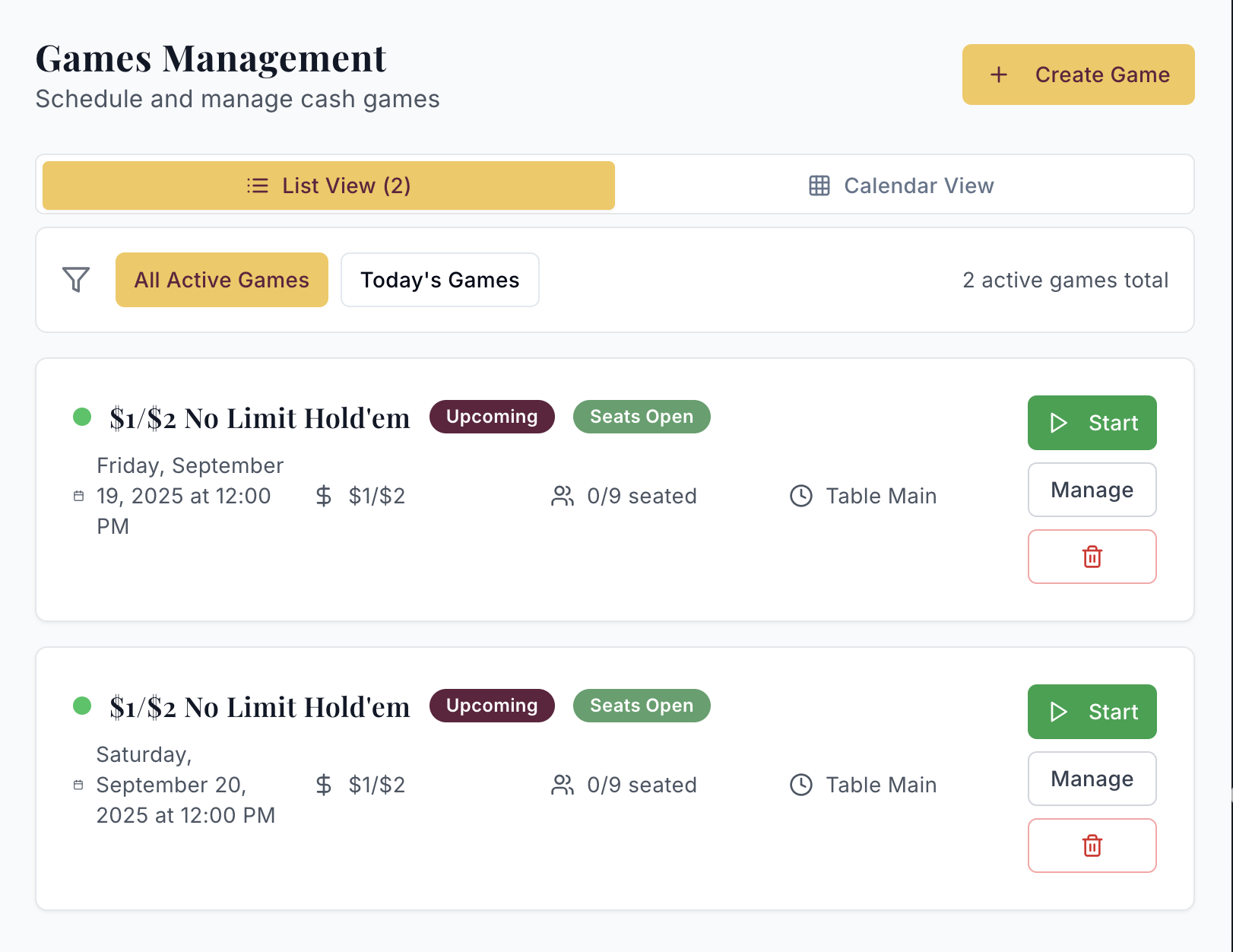
Recurring Schedules
Set regular recurring weekly games for the system to automatically generate on a rolling 7-day period. Created games are fully editable if you need to make changes from week-to-week.
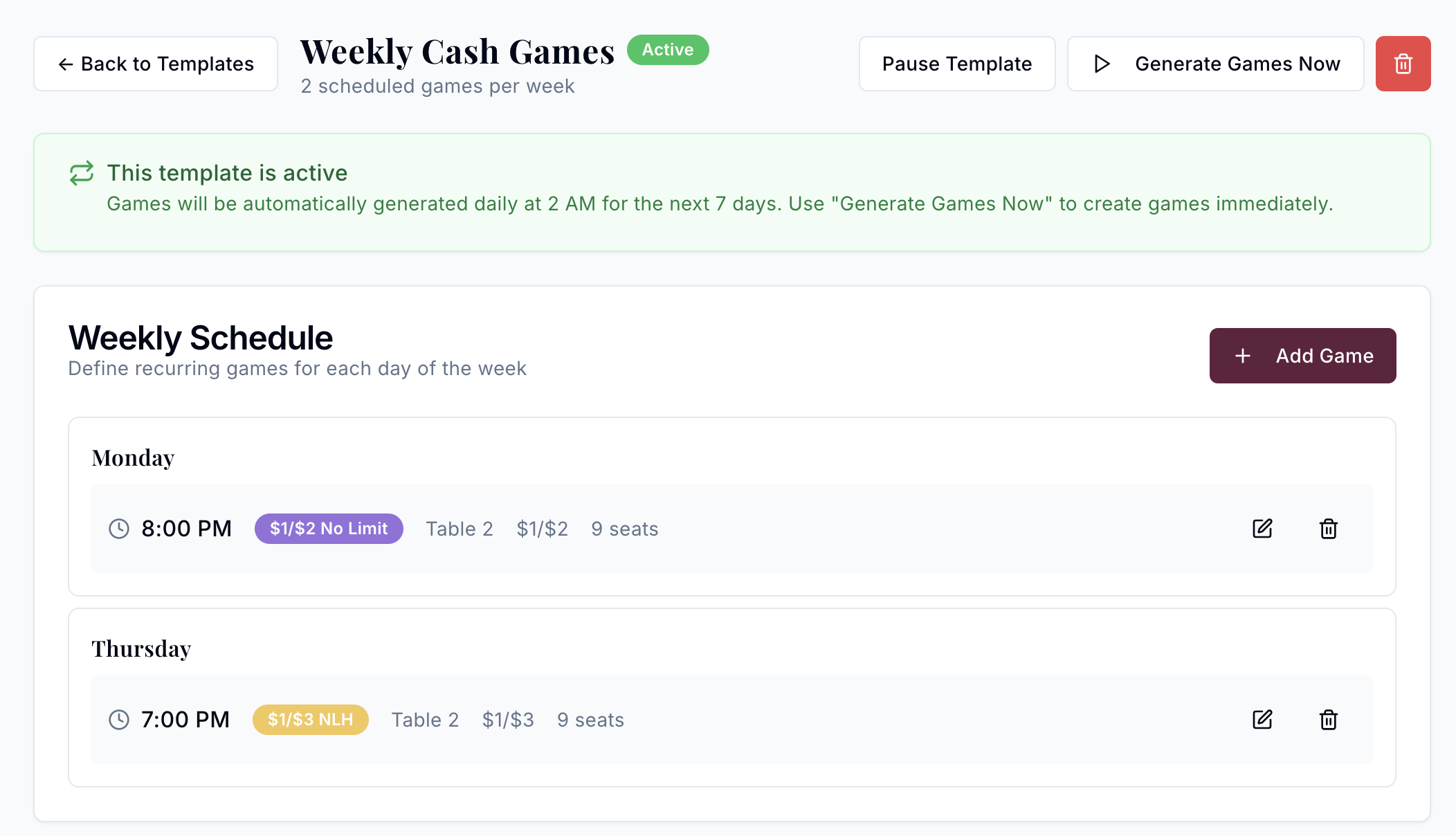
Game Templates
Setup all of your game types with custom thumbnails for all of your cash games for repeatability and consistency.
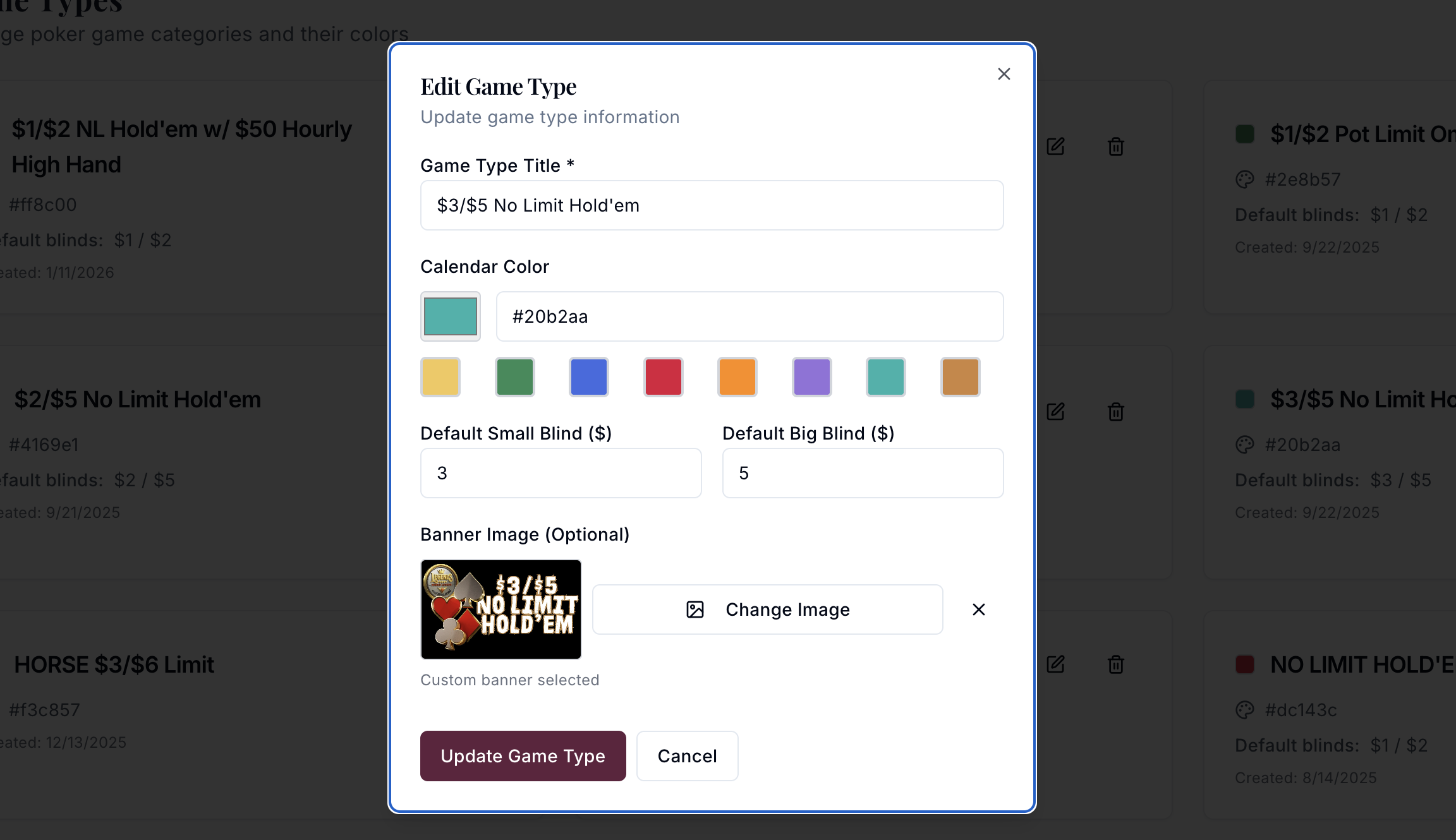
Schedule cash games in minutes
Set up your daily cash games with specific start times, stakes, and game types. From $1/$2 No-Limit Hold'em to $5/$10 PLO, our scheduling system adapts to your room's unique offerings. Players see exactly when games start and can plan their visit accordingly.
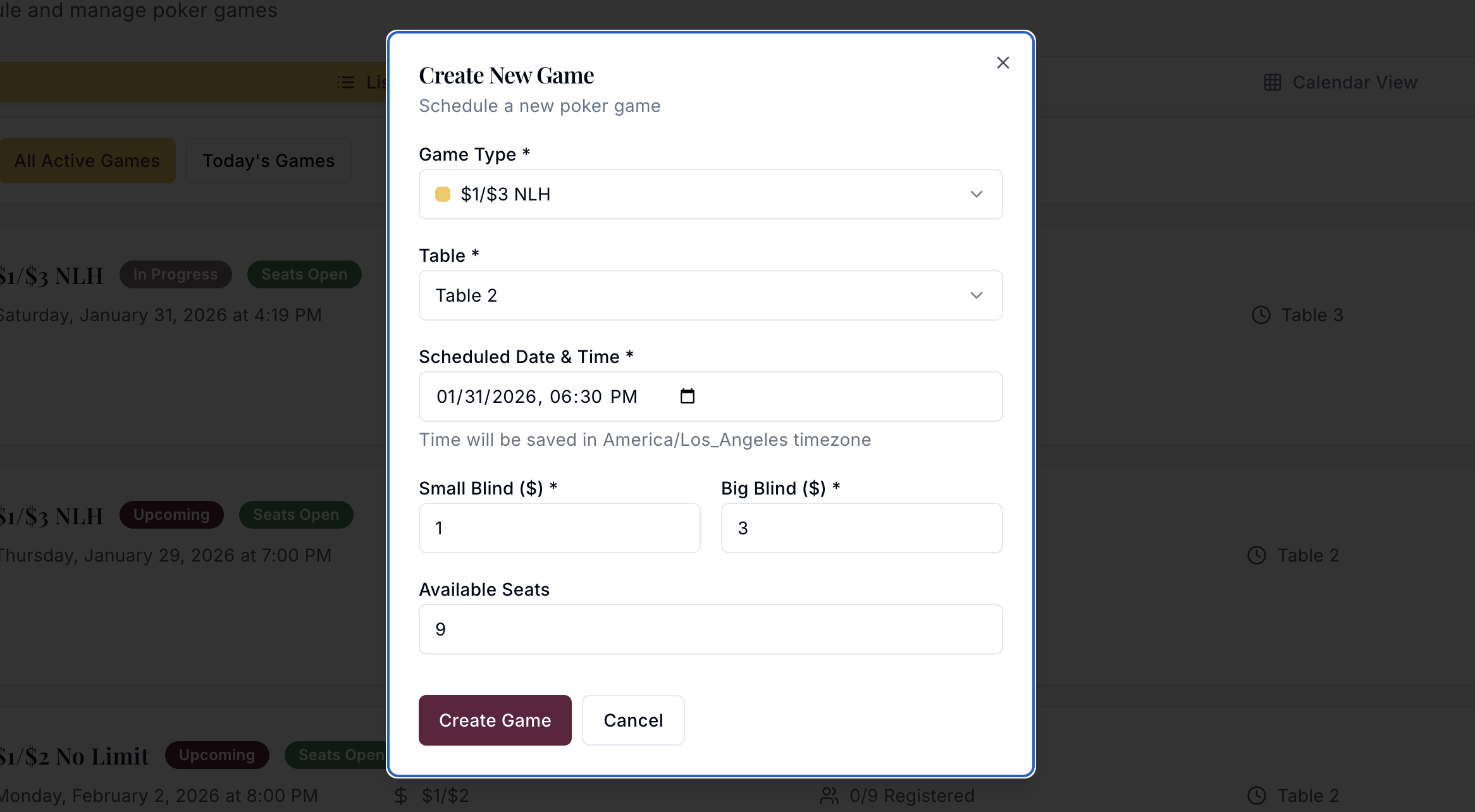
Live Player Management
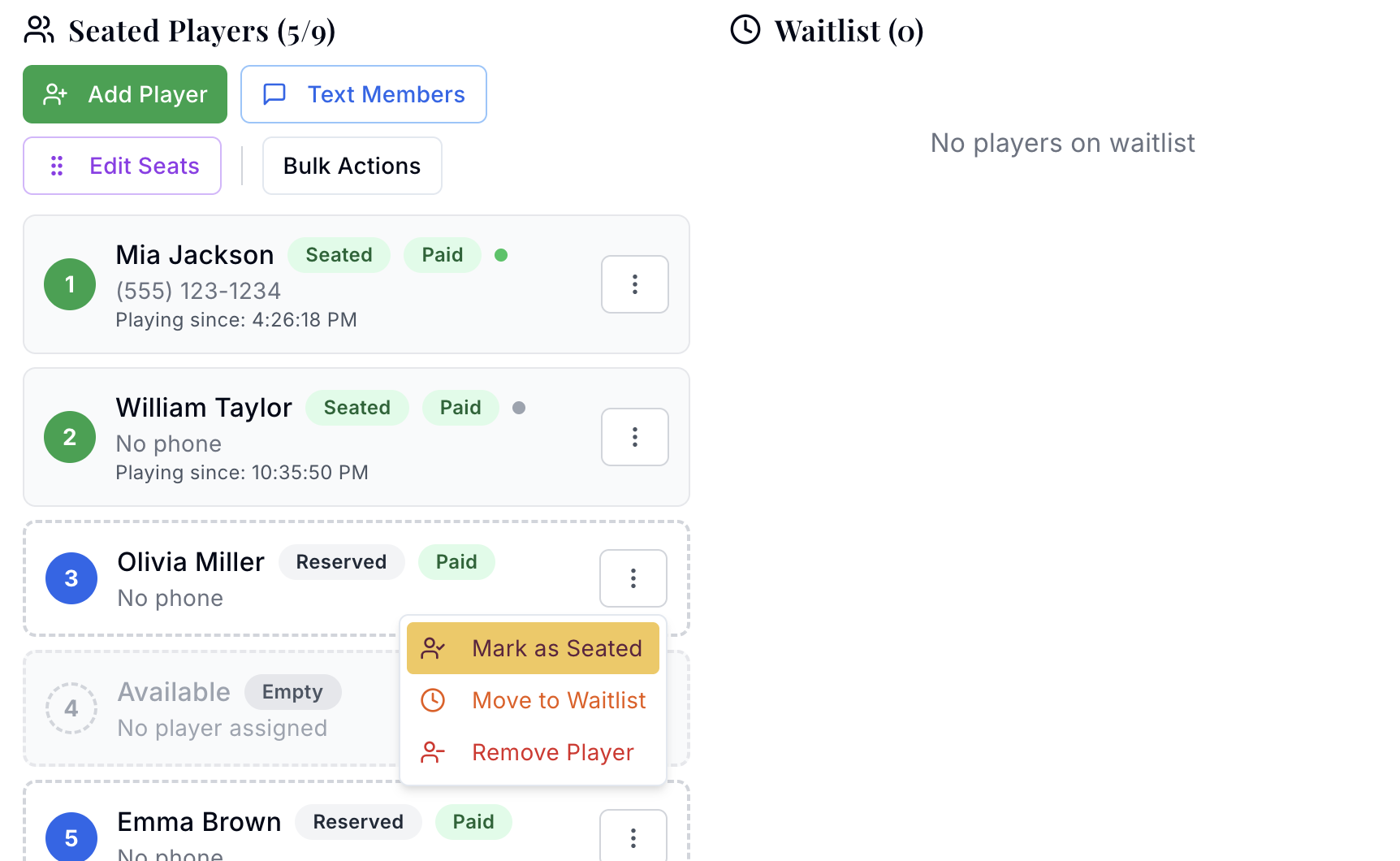
Track every table in your room from a single dashboard. Monitor available seats, see who's playing, and keep the waitlist in order as games fill and turn over. When a seat opens, you promote the next player from the waitlist with one click. The optional SMS add-on lets the host fire a one-click text to the player who's up. No more shouting across the room or paper lists.
Online player registration
Players can register for games directly through your site. They see live table status, available seats, and estimated wait times before they drive down. When their seat is ready, the host decides whether to fire a one-click SMS from the admin or call them over in person. The online view supports the room without replacing the hosts who already know everyone's name.

How the waitlist handles seat openings
The waitlist orders players first-come, first-served. When a seat opens, the host view shows the top player in line. The host confirms the player is ready to play and promotes them from the waitlist to the table.
Floor staff can promote players out of order when the situation calls for it. The most common case is the top player stepping out for a smoke or a phone call and not being present when the seat opens. The host skips them and moves to the next available player with one action. The list stays transparent; the player who actually shows up gets the seat.
Page players however your room prefers
When a seat opens, the host can page the top player in whichever way fits your room's style. A phone call to the regular who always wants a courtesy heads-up. A quick text from the floor. Walking over and tapping them on the shoulder if they are already in the room. The system does not force one mechanism.
The optional SMS add-on lets the host send a text to any waitlisted player from the admin, letting them know a seat is open. It is a tool the host uses on demand, not an automatic trigger. The host picks when to page and whom to page. Rooms that want to save a few keystrokes turn it on. Rooms that prefer a phone call or a walk-over skip it entirely.
Your regulars who always call the front desk for a seat can keep doing exactly that. The host adds them to the waitlist from the admin. Nothing about the system forces them to install an app or use a website they do not want.
Cash game questions
The waitlist is first-come, first-served. When a seat opens, the host sees the top player in line. The host confirms the player is ready to play and promotes them from the waitlist to the table. If the top player is not present when the seat opens (stepped out, on a call), the host can skip to the next available person with one action.
Yes. Players can add themselves to the waitlist from your room's website, on any device, without installing an app. Hosts can also add players manually from the admin for regulars who prefer to call or text the front desk.
The system does not hold the seat automatically. The host confirms the player is ready to play before promoting them from the waitlist. If a paged player is not present when the host is ready to seat them, the host skips to the next available person in the list. Once a player is promoted from the waitlist, they are considered actively playing.
Yes. Each table has its own game type and stake level, with its own waitlist. A player can be on multiple waitlists at once and take whichever seat opens first. Staff see every list in one view so nothing gets buried.
SMS is an optional add-on, not a default. Rooms that add it can send texts from the admin to notify waitlisted players when a seat is open. The host still chooses when to send the SMS and whom to send it to, so it is a communication tool, not an automation. Rooms without the add-on handle paging through phone calls, texts from the floor, or whatever else fits their style.
Ready to run your cash games on Next Up?
Book a demo and we will walk through a full cash-game night, from scheduling to seating to waitlist management, for the stakes your room actually runs.